
01 · Arbor EDMS
Document approvals, fully automated.
Memos, expenses, cash advances and loans move through configured budget lines and your organisation's approval policies, with a complete audit trail.
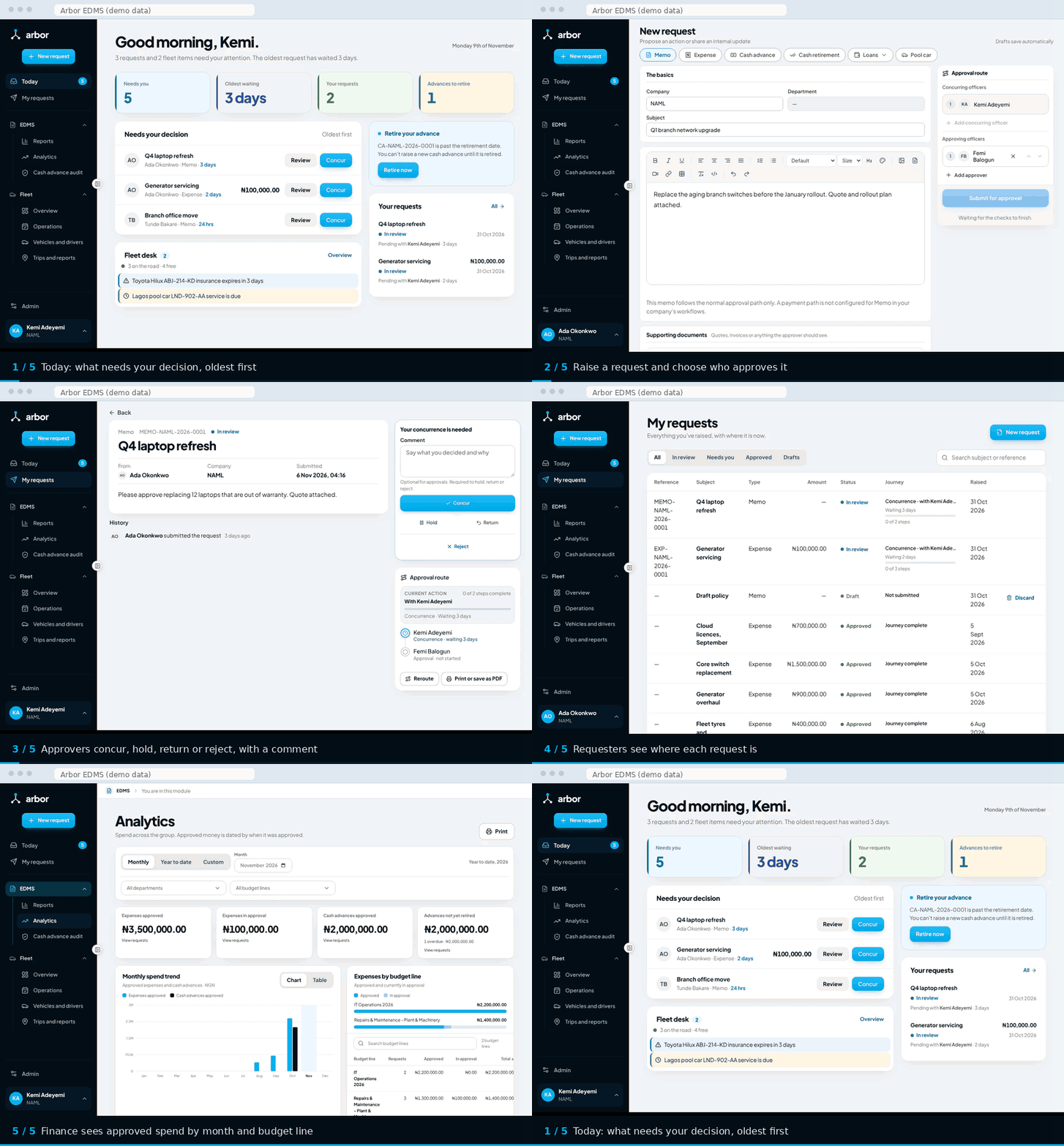
How Arbor EDMS works.
- Configure your workflowSet request types, approval routes and policy checks.
- Submit a requestStaff raise a memo, expense, advance or loan.
- Approve from anywhereReview requests and record decisions wherever you are.
- Track progressSee the request status and decision history.
- Use analytics and reportsReview spend, budget lines and approval activity.
How it works.
- 01
Submit a request
Anyone raises a request in a minute.
- 02
Budget and policy checks
Requests follow the budget lines and approval rules configured for your organisation.
- 03
Approve from anywhere
Approvers act from their email or phone.
- 04
A complete audit trail
Every decision is stored with who acted, when and the request history.
What it handles.
Memos
Internal memos sent for approval, with every decision kept on record.
Every decision keptExpense claims
Expenses approved before they are paid, with amount and purpose recorded.
Approved before paidCash advances
Advance requests approved and followed until they are settled.
Followed to settlementLoans
Staff loan requests routed for approval and tracked through repayment.
Tracked to repaymentBudget lines
Check requests against configured department or project budgets before approval.
Checked before approvalYour approval policies
Set approval paths and limits around your organisation's policies.
Set up your wayAudit trail
Keep request details, approvals and decision history together for review.
Who did what, and whenAnalytics and reports
Review approved spend, budget lines and request activity across your organization.
Spend and workflow visibility
Insights across every request.
Track approved spend against budget lines, see policy-based approvals in progress and keep the full decision history.
- Spend patternsReview approved spend by request type, department and period.
- Approval flowSee where requests are moving smoothly and where decisions are waiting.
- Requests in progressKeep track of outstanding memos, claims, advances and loans.
- Audit historyFollow each request from submission through its recorded decision.
An audit trail that writes itself.
Every memo, expense, advance and loan keeps a complete history: who acted, what they decided and when. Nothing to write up later, and nothing to lose.
- Request submittedRaised by the requester
- Sent to approverRouted automatically
- Reminder sentAutomatic, no one chased
- ApprovedRecorded with name and time
- FiledAdded to the permanent record